Geometry Dash: The Complete Guide to Levels, Modes and Beating Them
One button. That is the entire control scheme of Geometry Dash, and it explains both why beginners pick it up in ten seconds and why experienced players still fail the same level three hundred times. You tap, your cube jumps, and the music tells you when.
This guide explains how the game works, walks through every form your icon takes, lists all the main levels with their difficulty and soundtrack, and gives you the practice routine that actually shortens the grind. Whether you are opening the game for the first time or stuck on a demon at 78 percent, you will find something here you can use immediately.
What Geometry Dash Is
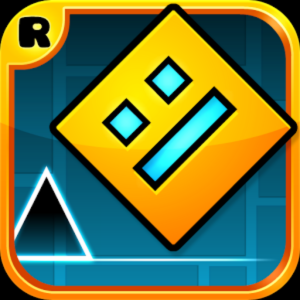
Geometry Dash is a rhythm-based platformer created by Robert Topala under the studio name RobTop Games. It launched on mobile in August 2013 and reached Steam the following year, and it has held a large, active player base ever since.
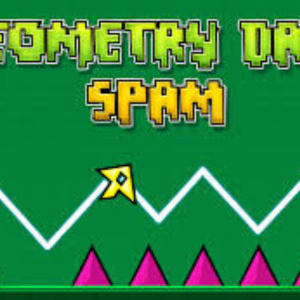
The premise is simple. Your icon moves forward automatically at a fixed speed. You cannot slow down, stop or reverse. Your only input decides when the icon jumps, flies or flips, and every obstacle in the level sits in a position that lines up with the beat of the music. Touch a spike or a wall and the level restarts from the beginning.
That restart rule shapes everything. A level lasts between one and two minutes, so a failure at 90 percent costs you the whole run. Players learn levels the way musicians learn a piece: by repeating one difficult bar until their hands know it without thinking.
Why the music matters more than your eyes
New players watch the screen and react. Experienced players listen and anticipate. Because RobTop built each level around its track, the beat arrives slightly before the obstacle does, which gives your hands a warning that your eyes cannot. Players who mute the game almost always plateau early. Turn the sound on, even quietly.
How to Play Geometry Dash
The inputs are the same on every platform:
- Keyboard: press the spacebar or the up arrow.
- Mouse: click anywhere on the game window.
- Touchscreen: tap the screen.
Holding the button matters as much as pressing it. In cube form, holding the button makes your icon jump again the instant it lands, which clears staircase sections that would be almost impossible to tap manually. In ship and wave sections, holding controls your height directly. Learning when to hold and when to tap separates a 40 percent run from a completion.
Every Game Mode Explained
Portals scattered through each level change your icon into a different form, and each form answers your single input differently. This table covers all of them.
| Form |
What your input does |
How to handle it |
| Cube |
Jumps once per press |
Hold the button through staircases so the cube auto-jumps on landing. |
| Ship |
Rises while held, falls when released |
Use short taps, not long holds. Beginners fly into the ceiling by holding too long. |
| Ball |
Flips gravity with each press |
Press once and commit. Double-tapping here kills more runs than any obstacle. |
| UFO |
Flaps upward with each press |
Tap in a steady rhythm rather than reacting. It behaves like a flappy-bird control. |
| Wave |
Moves diagonally up while held, down when released |
Tap rapidly and evenly through tight corridors. Panic tapping causes the crash. |
| Robot |
Jumps higher the longer you hold |
Learn three heights: short tap, half hold, full hold. |
| Spider |
Teleports instantly to the opposite surface |
Movement is instant, so time your press to the frame rather than the arc. |
| Swing |
Reverses gravity while held |
The newest form, added in update 2.2. Treat it as a slower, more forgiving wave. |
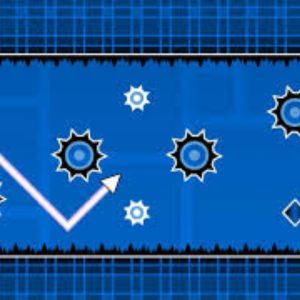
Speed portals stack on top of these forms and change how fast you travel, from half speed up to four times normal. A wave section at four times speed is the single hardest combination the game produces, and it appears in most demon levels.
All Main Geometry Dash Levels
The game ships with 21 classic main levels, released in order across the early updates. Each has a fixed difficulty rating and a track by an artist from the Newgrounds music community. Work down this list in order and the difficulty curve will teach you every mechanic before it tests you on it.
| # |
Level |
Difficulty |
Music by |
| 1 | Stereo Madness | Easy | ForeverBound |
| 2 | Back On Track | Easy | DJVI |
| 3 | Polargeist | Normal | Step |
| 4 | Dry Out | Normal | DJVI |
| 5 | Base After Base | Hard | DJVI |
| 6 | Can't Let Go | Hard | DJVI |
| 7 | Jumper | Harder | Waterflame |
| 8 | Time Machine | Harder | Waterflame |
| 9 | Cycles | Harder | DJVI |
| 10 | xStep | Insane | DJVI |
| 11 | Clutterfunk | Insane | Waterflame |
| 12 | Theory of Everything | Insane | DJVI |
| 13 | Electroman Adventures | Insane | Waterflame |
| 14 | Clubstep | Demon | DJVI |
| 15 | Electrodynamix | Insane | DJVI |
| 16 | Hexagon Force | Insane | Waterflame |
| 17 | Blast Processing | Harder | Waterflame |
| 18 | Theory of Everything 2 | Demon | DJVI |
| 19 | Geometrical Dominator | Harder | Waterflame |
| 20 | Deadlocked | Demon | F-777 |
| 21 | Fingerdash | Insane | MDK |
Update 2.2, released in late 2023 after a long wait, added a further main level called Dash along with the swing form and a large set of new editor tools.
The three levels that stop most players
Clubstep, Theory of Everything 2 and Deadlocked carry the Demon rating, and the jump in difficulty from the level before each one is steep. Clubstep also requires ten secret coins to unlock, so many players hit a wall there long before they hit a wall in the gameplay. Treat these three as long-term projects rather than as the next level in a sequence.
Difficulty Ratings, Explained Properly
The rating icon on each level follows a fixed scale, and the gaps between the steps are not even:
- Auto — completes with little or no input.
- Easy — basic cube jumps and simple ship segments.
- Normal — introduces timing that punishes a late press.
- Hard — mixed forms and faster speeds.
- Harder — tight corridors and longer sections without a checkpoint.
- Insane — precise input required across most of the level.
- Demon — the top rating, split by the community into Easy, Medium, Hard, Insane and Extreme Demon.
The gap between Insane and Demon is far wider than every earlier gap combined. If you clear your first Insane level and immediately fail a Demon two hundred times, nothing has gone wrong. That is the intended shape of the curve.
Use Practice Mode Properly
Practice mode places green checkpoint diamonds wherever you drop them, and restarts you from the last one instead of from the start. It does not count toward completing the level, which is exactly why so many players skip it and then spend hours replaying parts they already know.
Use it like this:
- Run the level once in practice mode from start to finish. Place a checkpoint before every section that looks difficult.
- Identify your real problem section. This is usually one four-second stretch, not the whole level.
- Set a checkpoint two seconds before it. You need a short run-up so your timing matches a real attempt, but not a long one that wastes time.
- Repeat that section twenty times in a row. Stop when you clear it five times consecutively, not when you clear it once.
- Return to normal mode. Your hands will now handle the section without conscious thought, which frees your attention for the parts after it.
Enable the percentage display in the settings before you start. Knowing that you die at 61 percent every time tells you where to place the checkpoint; knowing only that you died tells you nothing.
Ten Tips That Shorten the Grind
- Play with sound on. The beat cues the jump earlier than the visual does.
- Hold the button through staircases. The cube auto-jumps on landing, which is more consistent than tapping.
- Tap the ship, never hold it. Small corrections keep you centred; long holds send you into the ceiling.
- Commit to ball inputs. One press flips gravity, and a nervous second press flips it straight back.
- Keep a steady rhythm in wave sections. Even tapping beats fast reactions in tight corridors.
- Turn off extra visual effects. Low detail mode raises your frame rate, and a stable frame rate makes timing consistent.
- Play on a device with a fast display. Input lag on a slow screen shifts every timing window against you.
- Stop after twenty failed attempts at the same spot. Frustration degrades timing, and a five-minute break restores it.
- Watch a completion video for the section only. Seeing the correct input pattern once saves fifty blind attempts.
- Finish the earlier levels before chasing demons. The main levels teach each mechanic in isolation, and skipping that costs you more time than it saves.
Mistakes That Keep Players Stuck
Four habits account for most long plateaus. Check whether any apply to you.
- Grinding a level far above your current level. Attempting an Extreme Demon at 30 percent teaches you nothing about the other 70 percent.
- Skipping practice mode out of pride. Practice runs do not appear on your profile, and nobody is watching.
- Reacting instead of memorising. The game moves faster than human reaction time in later sections, so memory does the work.
- Playing tired. Timing accuracy drops noticeably when you are tired, and the game measures nothing but timing.
The Different Versions of Geometry Dash
RobTop has released several separate apps, and players often confuse them:
- Geometry Dash — the paid full game, containing all main levels, the level editor and access to millions of community levels.
- Geometry Dash Lite — a free version with a limited selection of main levels and no editor.
- Geometry Dash Meltdown — a free standalone release with three levels and music by F-777.
- Geometry Dash World — a free release with two worlds of ten short levels each.
- Geometry Dash SubZero — a free release with three levels, and the one most players finish in a single sitting.
What browser versions actually give you
Being straightforward about this matters more than overselling it. Browser versions of Geometry Dash, including the one on this site, reproduce the core gameplay and the early levels rather than the complete paid game. You get the same controls, the same forms and the same rhythm-first design, which makes them an excellent way to learn the game and a convenient way to play during a short break on a device that blocks installs.
What browser versions do not give you is the full 21-level campaign, the level editor, cloud-saved progress across devices, or the community level database. If Geometry Dash grabs you after an hour in the browser, buying the full game from RobTop on Steam or a mobile app store is the way to get the rest of it, and it supports the developer who built it.
The Level Editor and Community Levels
The full game includes an editor that gives players the same tools RobTop used, and the community has built millions of levels with it. Two facts explain why the game has stayed active for more than a decade:
First, the best community levels rival or exceed the official ones in design quality, and the game surfaces them through Featured, Daily and Weekly slots. Second, a competitive scene has grown around Extreme Demon levels, where a small group of players spends months on single levels and maintains public rankings of which are hardest. The game shipped 21 levels and now effectively has no ceiling.
More Games to Play Here
If you want a break from the same 61 percent, the library on this site is sorted into categories so you can find something with a different pace:
Frequently Asked Questions
Who made Geometry Dash?
Robert Topala, a Swedish developer working as RobTop Games, built and still maintains it. He released the first version in August 2013.
How many levels does Geometry Dash have?
The full game includes 21 classic main levels plus later additions such as Dash from update 2.2. Beyond those, players have created millions of community levels through the built-in editor.
What is the hardest official level?
Among the classic main levels, Clubstep, Theory of Everything 2 and Deadlocked hold the Demon rating and stand well above the rest. Community-made Extreme Demons go far beyond all three.
Do I need to download anything to play in a browser?
No. Browser versions run inside the tab you already have open, with no installer and no account. That is why they work on school and office computers that block downloads.
Is Geometry Dash free?
The main game is a paid app. RobTop also publishes free versions — Lite, Meltdown, World and SubZero — and browser versions like the one on this site are free to play.
Does browser progress save?
Browser versions usually store progress in your browser, which means it survives on the same device and browser but disappears if you clear your browsing data or move to another computer. The paid app saves to your account instead.
Why do I keep dying at the same percentage?
Because you have learned everything before that point and nothing after it. Put a practice checkpoint two seconds earlier and repeat that section until you clear it five times in a row.
Can I play with a controller?
The desktop version supports controllers, and the game needs only one button, so almost anything works. Many players still prefer a keyboard because the spacebar has a shorter travel distance.
Does Geometry Dash work on a Chromebook?
Yes. Browser versions run well on ChromeOS. Close your other tabs first, since a low frame rate directly damages your timing.
Start With Stereo Madness
Geometry Dash rewards patience far more than reflexes. The players who clear demon levels are not the ones with the fastest hands; they are the ones who practised one four-second section until it became automatic, then moved to the next.
Open Geometry Dash, turn the sound on, and run Stereo Madness until you finish it. Then do the same with Back On Track. The game will teach you everything else, one level at a time.